Originally published: September 2022 | Updated: November 2026
Finding the best stock photography websites can save designers and marketers hours of searching, and keep you out of licensing trouble.
The options look different than they did when we first published this guide in 2022. Designers now choose between three routes: traditional stock photography, AI-generated images, and hybrid workflows that mix the two, like a licensed photo extended or retouched with AI, or an AI concept refined by a designer. None of them is right for every project.
The stock platforms have changed too. Most still sell the usual business photos, but many now offer:
- free high-resolution photography
- premium commercial imagery
- vectors and illustrations
- stock video
- AI-generated visuals
“Stock photography works best when it supports authentic storytelling. The goal isn’t just filling space — it’s reinforcing brand emotion and message.”
In this guide, we break down the best stock photography websites in 2026, including both free and premium platforms used by designers, agencies, and marketers. with notes on pricing, licensing and what each one is actually good for. Further down, we also look at when AI-generated images and video make sense, and when real photography still wins.
Table of Contents
What Are Stock Photography Websites?
Stock photography websites are platforms that provide licensed images, videos, and graphics for commercial or editorial use. Designers and marketers use these sites to quickly access high-quality visuals for websites, advertising, social media, and marketing campaigns.
The best stock photography websites combine large image libraries, clear licensing terms, and flexible pricing options for both free and premium content.
Quick Comparison: Best Stock Photography Websites
| Platform | Starting Price | Best For |
|---|---|---|
| Vecteezy | Free | Photos + vectors |
| Unsplash | Free | Blog imagery |
| Pexels | Free | Photos + video |
| Pixabay | Free | General free stock |
| Shutterstock | $25/mo | Marketing campaigns |
| Adobe Stock | $29.99/mo | Designers |
| Getty Images | $225/mo | Editorial photography |
| iStock | $29/mo | Budget premium photos |
| Stocksy | ~$35/image | Artistic photography |
| Death to Stock | $20/mo | Curated photo and video library |
| Envato Elements | $16.50/mo | Unlimited assets |
| Magnific AI (formerly Freepik) | $20/mo | Vectors & graphics |
| Creative Market | Varies | Design assets |
| Canva Photos | Free / Pro | Marketing visuals |
| Picjumbo | Free | Blog photos |
| Kaboompics | Free | Lifestyle imagery |
| Rawpixel | Free / $8/mo | Unique editorial style |
| Depositphotos | $29/mo | Budget stock |
| Dreamstime | $25/mo | Large photo library |
| 123RF | $49.50 (50 credits) | Commercial marketing |
Best Stock Photography Websites at a Glance
If you want quick recommendations, start here:
- Best free stock photography website: Vecteezy
- Best for designers: Adobe Stock
- Best for marketing teams: Shutterstock
- Best for vectors and graphics: Freepik
- Best for artistic photography: Stocksy
- Best for unlimited downloads: Envato Elements
Best Free Stock Photography Websites
Free platforms are ideal for blogs, social media content, and early-stage marketing projects.
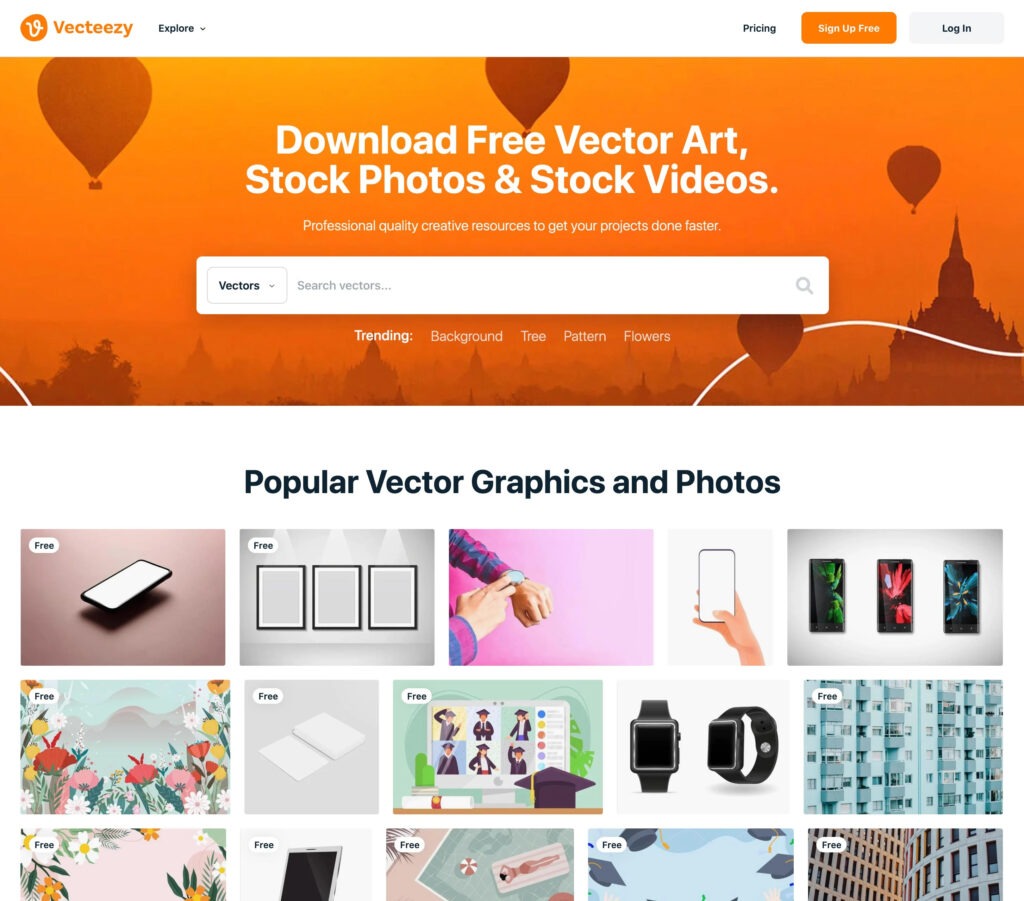
1. Vecteezy
https://www.vecteezy.com | Starting price: Free (Unlimited from ~$9/month)
Vecteezy offers millions of free photos, videos, and graphics along with premium assets available through subscription.
Unlike most free stock photo platforms, Vecteezy emphasizes licensing protection and contributor verification.
Key features include:
- contributors are vetted before uploading assets
- model and property releases required when applicable
- images with logos or trademarks labeled editorial use only
- users can download a copy of the license
- free images include a legal guarantee up to $500
Free downloads require attribution and come with a legal guarantee of up to $500. Pro (about $9/month billed annually) removes the attribution requirement and raises the legal protection to $10,000, which makes it the better pick for client work.
2. Unsplash
https://unsplash.com | Starting price: Free
Unsplash is one of the most widely used free stock photography websites.
Unsplash photos are free for commercial use under the Unsplash License, which isn’t the same as CC0 and doesn’t include model releases or legal protection. Unsplash+ is the paid tier that adds that coverage.
It features a massive collection of high-resolution photography contributed by creators worldwide.
Best for:
- website hero images
- blog posts
- social media visuals
3. Pexels
https://www.pexels.com | Starting price: Free
Pexels provides both free stock photos and free stock videos, making it a popular choice for content creators.
Best for:
- social media graphics
- content marketing
- video thumbnails
4. Pixabay
https://pixabay.com | Starting price: Free
Pixabay offers more than 6.4 million images, videos, and illustrations available for commercial use.
Best for:
- blog imagery
- presentations
- general marketing content
Best Premium Stock Photography Websites
Premium stock photography platforms provide larger libraries, stronger licensing, and higher production value imagery.
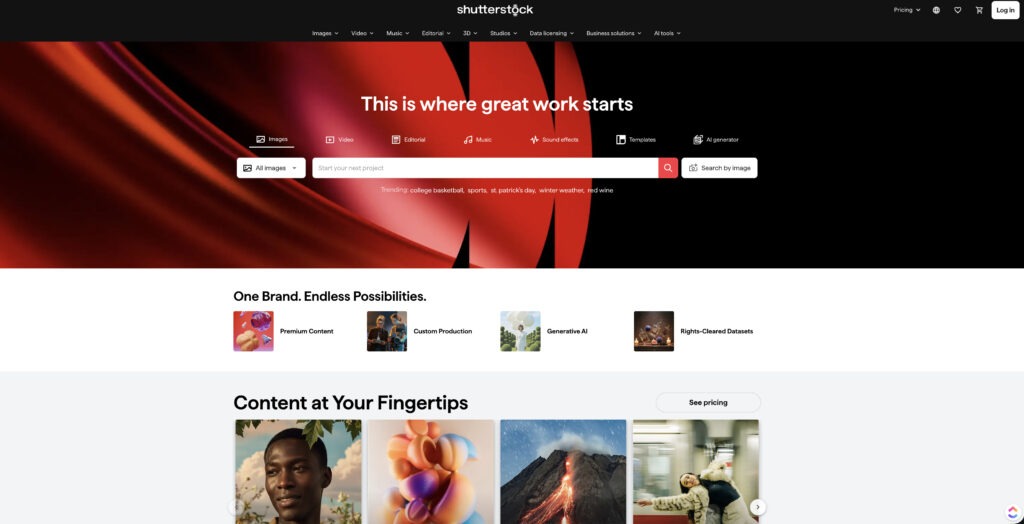
5. Shutterstock
https://www.shutterstock.com | Starting price: ~$25/month
Shutterstock is one of the largest stock photography websites in the world with hundreds of millions of assets.
Best for:
- marketing campaigns
- corporate presentations
- advertising visuals
6. Adobe Stock
https://stock.adobe.com | Starting price: ~$29.99/month
Adobe Stock integrates directly with Photoshop, Illustrator, and InDesign.
Best for:
- designers using Creative Cloud
- agency workflows
- high-quality commercial imagery
7. Getty Images
https://www.gettyimages.com | Starting price: $225/month (Creative, 10 downloads) or ~$499 per image
Getty Images is known for premium editorial photography and exclusive professional imagery. Since mid-2026 it also sells single-seat subscriptions: Creative ($225/month on an annual plan) for commercial use, and Editorial ($167/month) for news and editorial use. Both include 10 downloads a month. Editorial images can’t be used in advertising, so pick the plan that matches the job.
Best for:
- journalism
- major advertising campaigns
- celebrity and sports photography
8. iStock
https://www.istockphoto.com | Starting price: ~$29/month (Essentials collection, 10 downloads)
iStock offers high-quality imagery at a lower cost than Getty. The $29 plan covers the Essentials collection. The more distinctive Signature collection requires a higher plan.
Best for:
- marketing visuals
- business presentations
- website imagery
9. Stocksy
https://www.stocksy.com | Starting price: ~$35/image
Stocksy is known for artistic, authentic photography curated by a cooperative of photographers.
Best for:
- brand storytelling
- editorial design
- lifestyle marketing
10. Death to Stock
https://deathtostockphoto.com | Starting price: $20/month (Brand) or $69/month (Agency)
Death to Stock is a membership with 15,000+ trend-driven photos and videos made by real creators, with about 500 new visuals added each month and unlimited downloads. One licensing heads-up: the membership works like a rental. If you cancel, you stop using the visuals in new work unless you buy out specific files (listed at $179 each). The Agency plan includes a transferable license for client work.
Best for:
- branding projects
- social campaigns
- creative storytelling
Best Stock Photography Websites for Design Assets
Designers often need more than photos. These platforms provide vectors, graphics, templates, and icons.
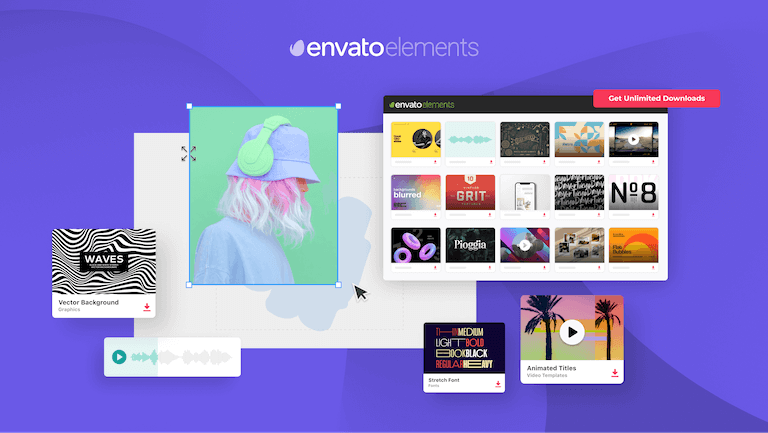
11. Envato Elements
https://elements.envato.com | Starting price: ~$16.50/month
Unlimited downloads of:
- stock photos
- fonts
- templates
- video assets
12. Magnific AI (formerly Freepik)
https://www.magnific.com/ | Starting price: Premium at $20/mo, or $14.50/mo billed annually.
Freepik is now Magnific, and it has grown from a vectors and PSD site into a full creative platform with 250M+ stock assets plus AI image, video and audio tools. Free downloads are for personal use and need attribution, so client and commercial work calls for a paid plan. Premium is the cheapest paid plan ($20/month, or $14.50 billed annually) and includes the full stock library. Plus and Pro mostly add bigger AI allowances.
Massive library of:
- vectors
- illustrations
- PSD design files
13. Creative Market
Marketplace for:
- fonts
- templates
- design assets
14. Canva Photos
Included with Canva Pro.
Best for:
- marketing graphics
- presentations
- social media content
Additional Stock Photography Websites
Other useful platforms include:
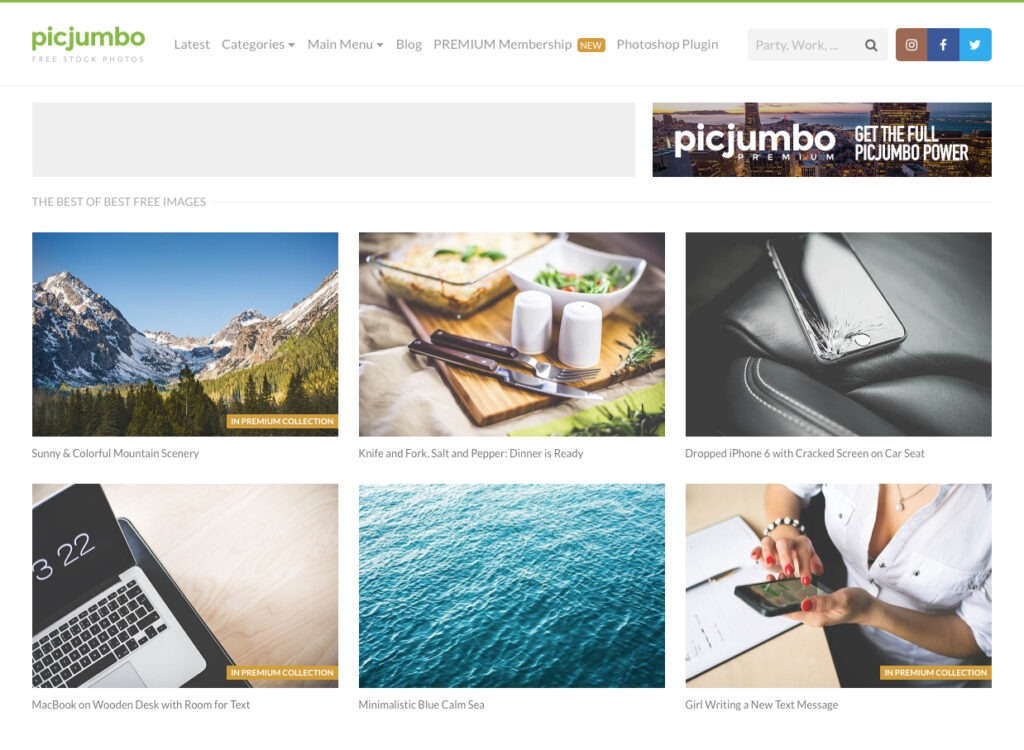
15. Picjumbo
16. Kaboompics
17. Rawpixel
18. Depositphotos
19. Dreamstime
20. 123RF
Stock Photography vs. AI-Generated Images
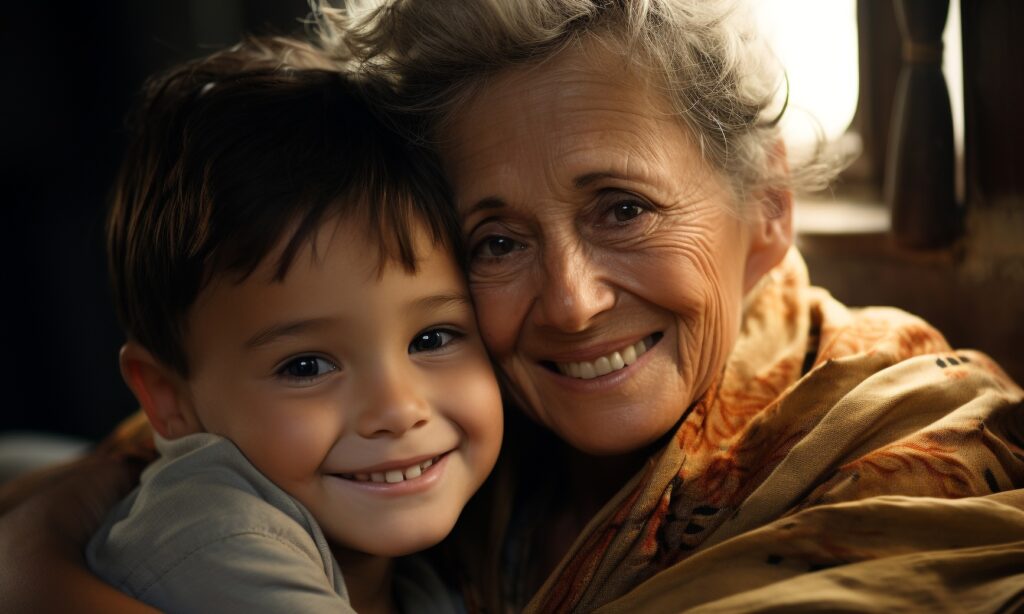
AI is rapidly transforming the stock photography industry.
Many platforms now offer AI-generated images that allow designers to create custom visuals instantly.
“AI-generated visuals are powerful tools, but brands still need authentic imagery to build trust and emotional connection.”
Both can get a project moving fast. The real question is what the image needs to do for the design.
What stock does well. Authenticity. Real photographers capture real people, real places and real products, with natural light and little moments that are hard to fake. That’s what makes a brand feel human. The trade-off is limited choice. You can only pick from what’s already out there, so if the exact scene doesn’t exist, you settle for close, and a competitor might be using the same photo.
What AI does well. Custom looks. You can ask for a specific mood, palette or composition and keep tweaking until it fits the brief, so the image can match your brand colors and layout instead of the other way around. That makes it great for concept art, abstract backgrounds, mood boards and anything that doesn’t need to be literally true. It’s also a handy fix when a stock search comes up empty.
Where AI falls short. It’s not always the right call. A few things to keep in mind:
- Real things. If the image has to show your actual product, team, location or customer, AI is the wrong tool. It can only approximate them, and audiences notice.
- Consistency. Getting the same people, style and lighting across a whole campaign takes extra work, and results can be unpredictable from one image to the next.
- The slick-but-generic look. AI images can come out polished yet oddly familiar, so check the small details (hands, text, strange textures) before anything goes live.
The hybrid route. Plenty of teams land in the middle: licensed photography as the base, AI for extending a background or exploring options, and a designer pulling it all together so it looks like your brand. Just keep track of where each piece came from, since licensing works differently for stock and AI (more on that below).
A good gut check: if the image has to be true, use a photograph. If it has to be imagined, give AI a look.
What About AI-Generated Video?
The same question is showing up for video. AI can make a clip of almost anything you can describe, which is tempting when the footage you need doesn’t exist. For most projects, though, it works alongside stock footage rather than replacing it, at least for now.
Where stock footage still wins. Real locations, real people with model releases, accurate product shots, and anything headed for broadcast or a client who needs airtight licensing. You also get longer, consistent footage you can drop straight into an edit.
Where AI video helps. Abstract backgrounds, concept visuals, short loops, b-roll that’s hard to shoot or find, and quick tests before a real shoot. It’s great at “close to this, but in our colors.”
What to watch for:
- Clips are short. Many tools max out around 5 to 10 seconds, so a finished spot means stitching clips together.
- Things drift. A character, product or location often changes from one clip to the next.
- Retries add up. The first result is rarely the final one, and each try can cost credits.
- Rules are still catching up. The same licensing questions apply (more on that below), and many social and ad platforms want realistic AI footage labeled.
Our take: stock for footage that has to be believable, AI for footage that has to be specific. Many of the platforms in this guide sell both, so you don’t have to pick a side up front.
Choosing the Right Visual Assets for Your Brand
The right source depends on what the visual needs to do. Use this table as a starting point, then check it against your creative brief.
| Free stock | Premium stock | AI-generated | Hybrid (photo + AI edits) | |
|---|---|---|---|---|
| Quality | Good to great, but uneven. Finding the gems takes digging. | Consistently high and well curated. | Can look polished fast, but check the details. | As good as the base image and the designer’s finishing. |
| Authenticity | Real photos, but often overused. | Real people and places, with distinctive options like Stocksy and Death to Stock. | Great for imagined or abstract scenes, weak for anything real. | A real base keeps it grounded. |
| Control | Low. You pick from what exists. | Medium. Filters and collections help you narrow it down. | High. You steer the scene, style and color, though results can surprise you. | Highest. You steer the source and the edit. |
| Consistency | Hard to build a matching set. | Easier within one collection or photographer. | Tough to repeat the same people or style across a campaign. | Strong when one designer finishes everything. |
| Licensing | Usually fine for commercial use, but no releases or legal backing. Read each license. | Clear terms, releases and often legal backing. Some end when you cancel. | Depends on the tool. Fully AI images generally can’t be copyrighted in the U.S. | Check each source separately. |
| Best for | Blogs, social posts, internal decks | Campaigns, ads, websites, client work | Concepts, mood boards, abstract backgrounds, custom visuals | Campaigns that need both realism and a custom look |
Stock Photography Licensing Basics
Before using any image from a stock photography website, review the licensing terms.
“Licensing mistakes are one of the most common risks when using stock images. Always verify commercial rights before using imagery in marketing campaigns.”
Commercial vs Editorial
Commercial images can be used for:
- marketing
- advertising
- product promotion
Editorial images can only be used for news or informational content. Free doesn’t mean protected. Unsplash, Pexels and Pixabay allow commercial use, but they don’t provide model releases or legal backing. For ads, or anything with identifiable people, a paid license is the safer call.
Model and Property Release
Professional stock photography platforms require releases when:
- identifiable people appear in the image
- private property is visible
Always Save the License
For legal protection:
- download the license agreement
- save the asset source
- keep documentation with project files
Also pay attention to what happens when you cancel. Death to Stock, for example, treats a membership like a rental: cancel, and you stop using the visuals in new work unless you buy them out. Some unlimited plans at other platforms limit new uses after you cancel too. Check this before you build a brand around a subscription library.
AI images come with their own licensing quirks. In the U.S., fully AI-generated images generally can’t be copyrighted, so the tool’s license lets you use them but won’t stop someone else from using a look-alike. Coverage if something goes wrong varies by tool and plan, and many ad platforms want realistic AI images labeled. Read the terms before a client project.
Common Stock Photo Mistakes Designers Should Avoid
Even experienced designers misuse stock imagery.
Avoid these common mistakes:
- Using editorial images in advertising
- Editorial images cannot be used in ads or branded marketing.
- Ignoring model releases
- Photos featuring identifiable people require permission.
- Using overused stock photos
- Generic images weaken brand authenticity.
- Failing to save licensing documentation
- Always keep a copy of the image license.
Frequently Asked Questions About Stock Photography Websites
What is the best free stock photography website?
Some of the best free stock photography websites include Vecteezy, Unsplash, and Pexels because they offer high-quality images with flexible licensing.
Are stock photos free for commercial use?
Many stock images are free for commercial use, but licensing varies by platform. Always review the terms before using images in marketing or advertising.
What stock photo sites do designers use most?
Designers often use platforms like Adobe Stock, Shutterstock, Unsplash, and Vecteezy depending on the project and licensing needs.
Final Thoughts
The best stock photography websites still come down to three things:
- high-quality imagery
- clear licensing
- efficient search tools
But the bigger question isn’t which platform or technology is newest. It’s what your creative brief needs. A free library is plenty for a blog header. A campaign with real customers needs photography you can trust and a license you can point to. A concept deck might be better served by AI. And a lot of brand work ends up hybrid: licensed photos, designer-led edits, and AI where it saves time.
Quick picks:
- For blog content → Vecteezy, Unsplash, Pexels
- For marketing campaigns → Shutterstock, Adobe Stock
- For design assets → Magnific AI, Envato Elements
- For concept or custom visuals → AI generation with the licensing checks above, or a hybrid workflow
Start with the brief, then pick the source. Choose well and your visuals work as storytelling, not filler.
Need stronger visuals for your brand?
Great imagery is just the start.
Doubleshot Creative helps brands turn visuals into powerful storytelling across design, digital marketing, and events.
👉 Contact us to start your next project.